Download DiscordPhoenixSetup.exe from the link below:
https://dl.qwq.sh/leaks/Phoenix/
Open the downloaded installer and complete the installation.
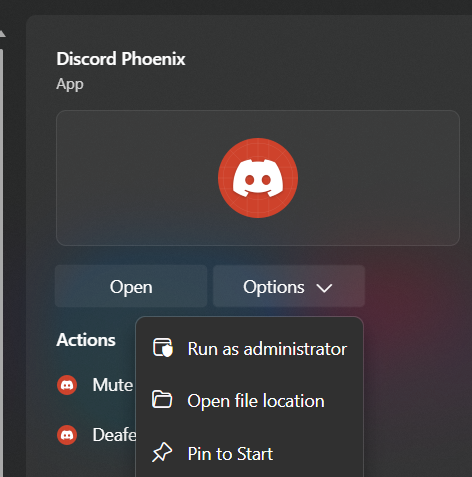
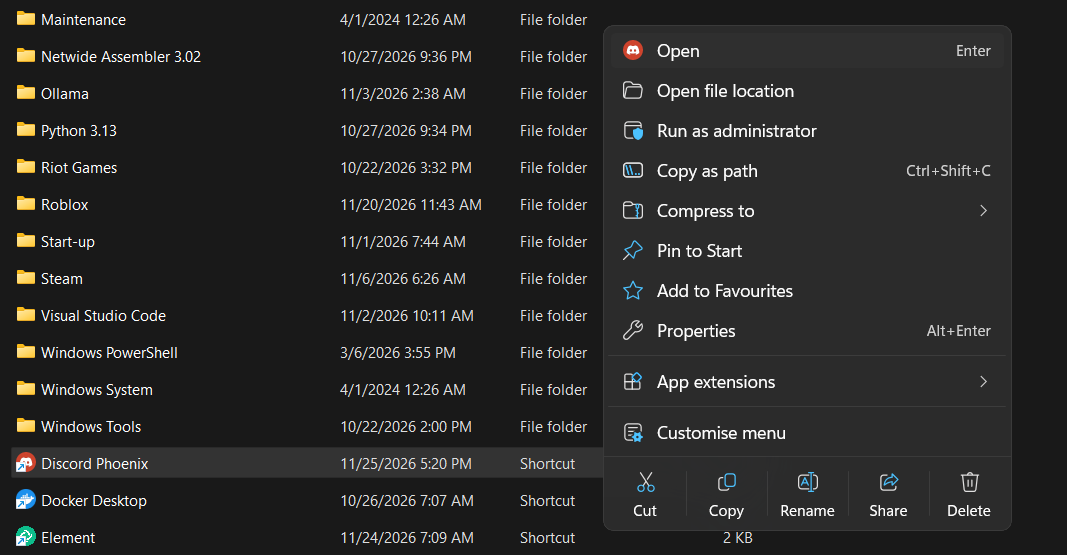
Right-click the Discord Phoenix shortcut.
Select Open file location.
This will take you to the folder we need.
The folder should be located at:
C:\Users\{hostname}\AppData\Local\DiscordPhoenix\app
IMPORTANT: Replace {hostname} with your actual Windows username.

Step 2: Download Discord.exe
Download the provided patched Discord.exe file.
Do NOT open or run the file. Just download it and leave it as it is.
Step 3: Replace the Original Discord.exe
Open the Discord Phoenix installation folder:
C:\Users\{hostname}\AppData\Local\DiscordPhoenix\app
Find the original file named Discord.exe.
Right-click it and select Rename.
Rename it to:
Discord.exe.bak
This keeps a backup of the original file in case you need it later.
Now, find the patched Discord.exe you downloaded in Step 2.
Copy that file and paste it into the Discord Phoenix folder:
C:\Users\{hostname}\AppData\Local\DiscordPhoenix\app
Make sure the new patched file is named exactly:
Discord.exe
That's it! You've completed the replacement process.
For advanced readers:
3. Predicate isolation
Tracing the gate decision from the view/model led to a small boolean predicate used by the client-access check. The predicate returned its result in AL; callers branched on it to decide whether to mount the gate overlay. It was separate from the renderer and from the visual accessors.
4. Patch
We overwrote the predicate’s entry with a return-true stub:
mov al, 1
ret
In x64 machine code this is B0 01 C3. The original prologue was saved and restored when needed. A runtime watcher resolved the module base, applied the patch to the predicate’s module-relative location, and kept it applied while the client ran. The same effect can be achieved by patching a copy of the binary.